
At times FaxStore could experience errors that may require manual input. This is rare but can occur from system corruptions or FaxStore setup errors. With this, you may be required to enter the operating system and do some troubleshooting. For FaxStore servers, we recommend reaching out to our support team if you're inexperienced in accessing the system.
To access the system we can use a program like Termius and just like with Linux servers FaxStore servers are accessed in the same way.
FaxStore will automatically start when the server is (re)booted. Generally there's no need to manually stop and start the store. Reach out to support if you're unsure.
Insert ssh root@SERVER_IP into the Termius address bar. You can find the server's IP address and password on your server's information page.
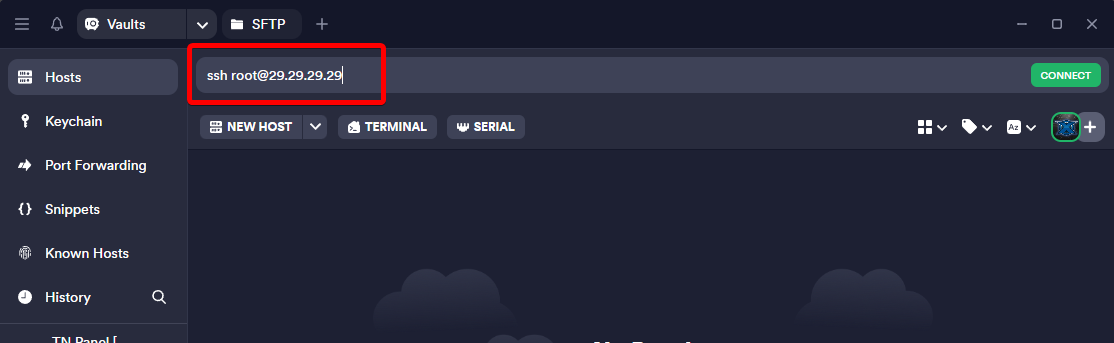
Typically FaxStore operates within a screen session on the server which is like having a command prompt window left open if you're on Windows. With FaxStore Hosted all faxstore instances will be under the faxstore screen label. Below are some basic commands to access the FaxStores program console and how to start FaxStore manually.
To connect to the FaxStore screen session you have to reattach to it via the command line. This command will reattach you to the FaxStore session
screen -r -d faxstore
Or to create a faxstore screen session use
screen -S faxstore
Once in the screen session, you can navigate to the FaxStore directory by using the change directory command
cd /home/faxstore
And finally, to start FaxStore, all that needs to be run is the node command
node .
FaxStore should now start without any issues or it will present an error if there's one.