
Nginx is a web server that can also be used as a reverse proxy, load balancer, mail proxy and HTTP cache. Nginx is the most popular web server in the world.
Fun fact; Nginx is pronounced as 'Engine-X'.
Install NGINX
The method of installing MySQL may vary per Linux distribution.
Debian & Ubuntu
sudo apt update
sudo apt install nginx
AlmaLinux & CentOS
sudo yum install epel-release
sudo yum install nginx
Verify Installation
To verify you have Nginx installed you can run the version command below.
nginx -v
The verification output may look like the below
nginx version: nginx/1.18.0 (Ubuntu)
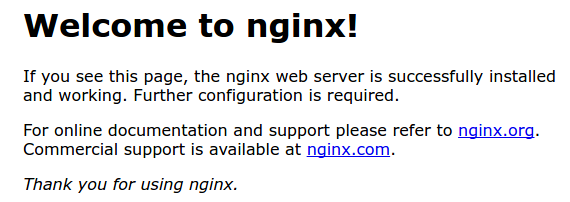
Further, you can verify by navigating to your servers IP address in a browser. Eg; http://26.26.26.26 and a page like the below should be presented.
To view the status of the web server run sudo systemctl status nginx. Each website, proxy, or mail server you run on the server will require a specific configuration, refer to the specific application documentation to see that portion of the setup.