Google Chrome is a popular web browser used globally. It was created and maintained by Google. It was first released in 2008. It was built from freeware in Apple WebKit and Mozilla Firefox. Nowadays, most of the Chrome programming comes from Google's Chromium.
All TurboNode Windows Servers come with Chrome already installed on the system for ease of access.
Get Google Chrome
To get Google Chrome you can easily download and install it from Google's Website
Optimise Chrome on Your Server
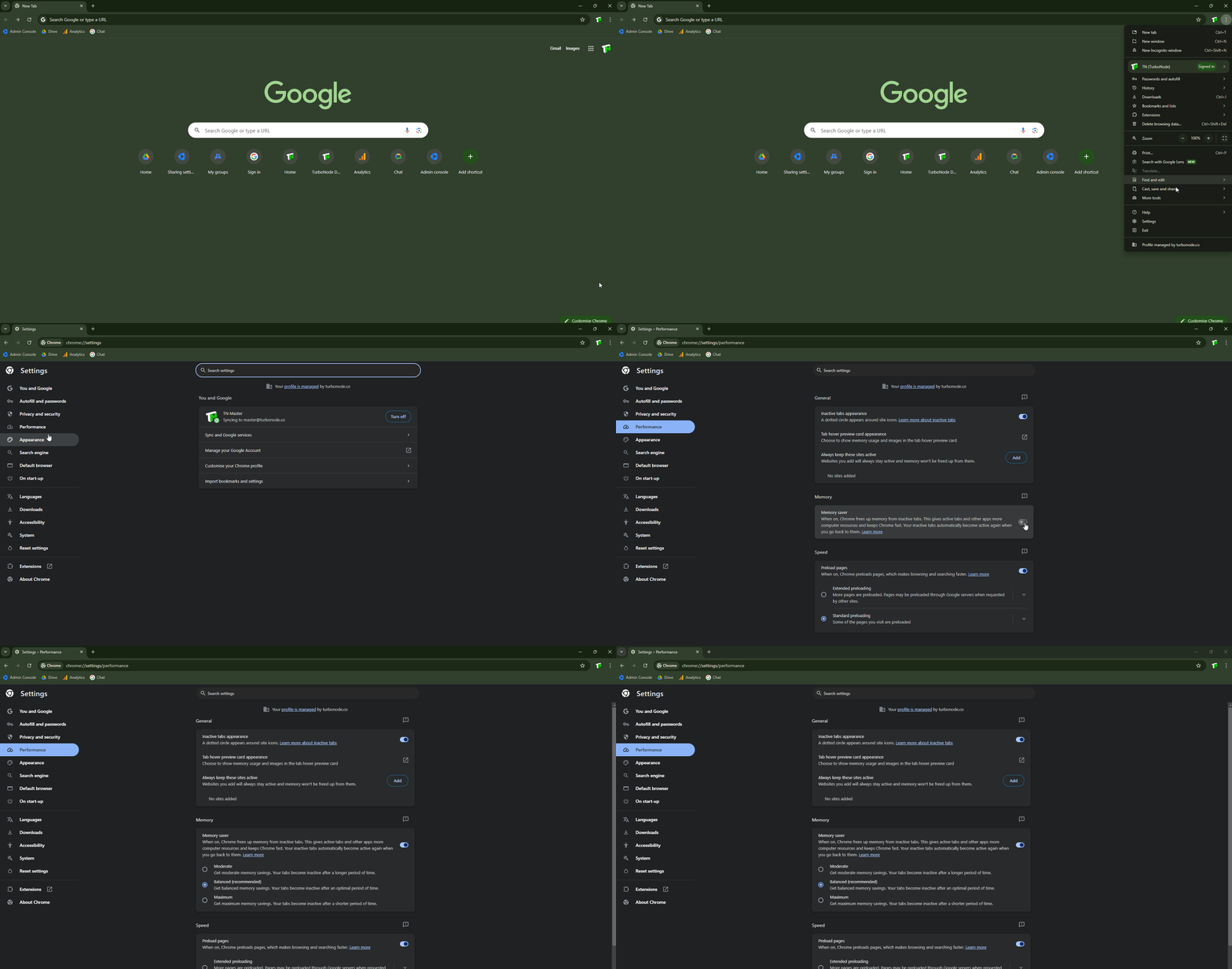
As most people know Google Chrome can be quite demanding for RAM and other resources when running in the background. We recommend enabling memory saver mode on Chrome to prevent Chrome from being as hungry.
To turn Memory Saver on or off
- At the top right, select More and then Settings
- Navigate to the Performance tab
- Under Memory toggle Memory saver
- Optionally, you can change the intensity memory saver
- Restart Chrome